Fulfillment Products
Fulfillment products are the products you can store on Bosta's warehouses. Once you store your products in Bosta's Warehouse, You should be able to see those products from your account dashboard.
How to get your Product's SKUs from the dashboard
1- You will have a new tab called Inventory to mange all your fulfillment items.
2- In this tab, you can choose Products sub-tab to see all your SKUs listed there.
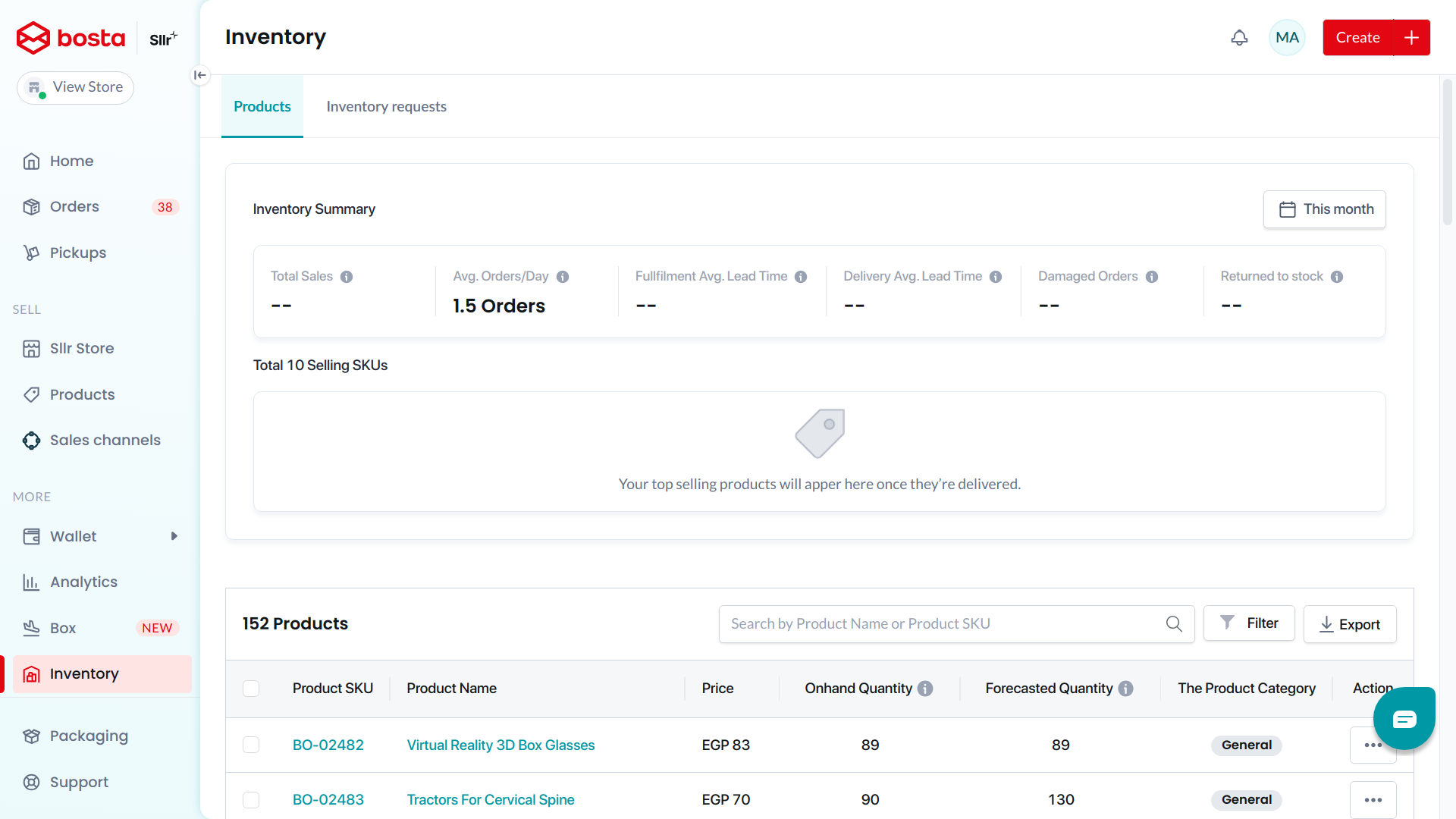
You can also use the following endpoint to list all of your inventory products
### Your Product's SKU Serials
For each quantity of any product SKU you have on Bosta's warehouses, you will have number of serials that each of them represent a single item from each SKU.
How to get your Product's SKUs from the dashboard
1- You will have a new tab called Inventory to mange all your fulfillment items.
2- In this tab, you can choose Stock sub-tab to see all your serials listed there.
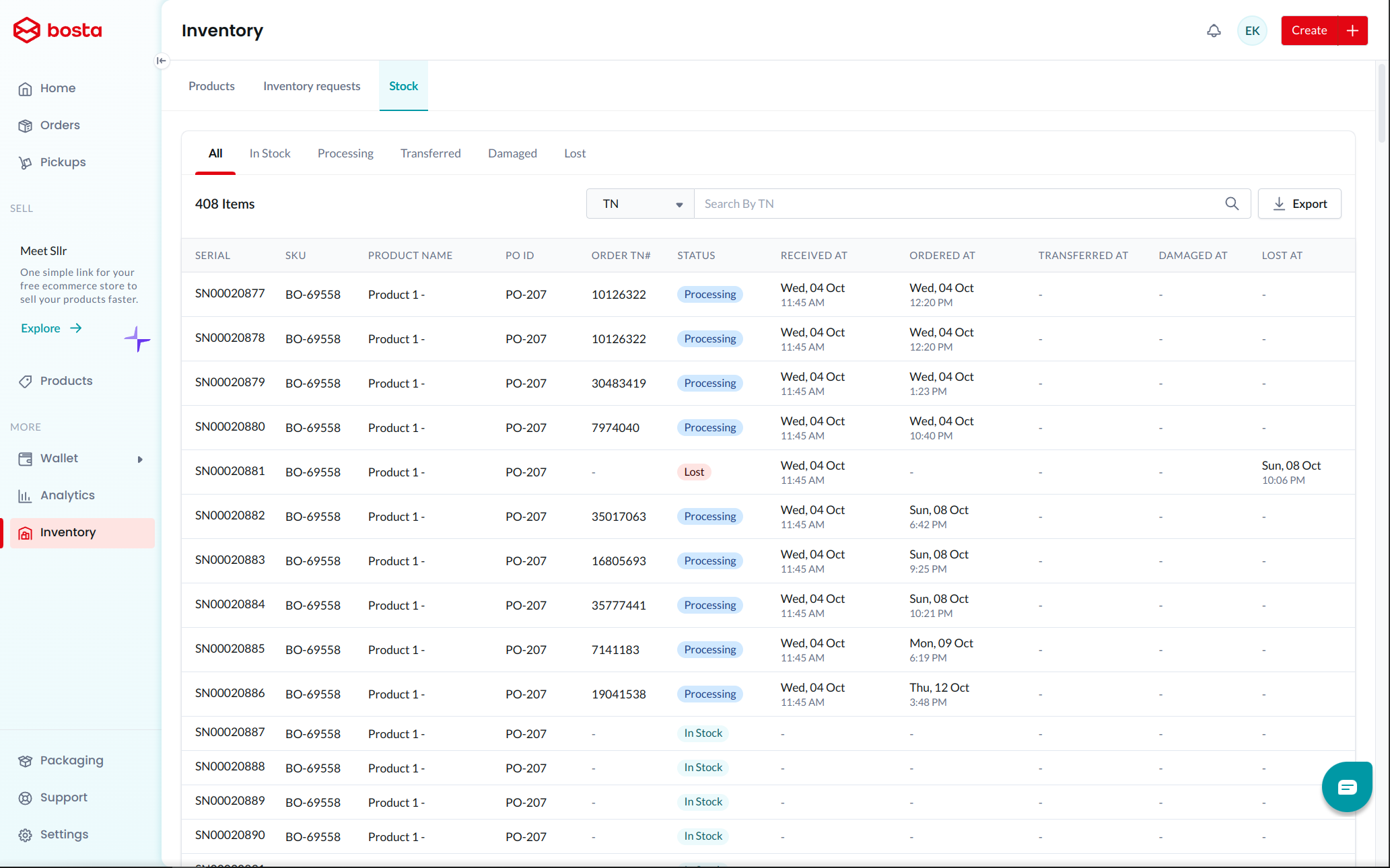
Serials Listing & Search:
You can also use the following endpoint to list or search for your inventory serials
For searching using state, you need to send the desired state code according to the bellow mapping:
| State Name | State Code |
|---|---|
| In Stock | 1 |
| Processing | 2 |
| Transferred | 3 |
| Damaged | 4 |
| Lost | 5 |